Step 1: Login to the cPanel with your login credentials.
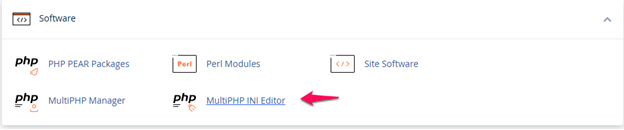
Step 2: Scroll down and click on the MultiPHP INI Editor under the Software option.
Step 3: Select the domain and edit the max_execution_time. Click on the apply changes.
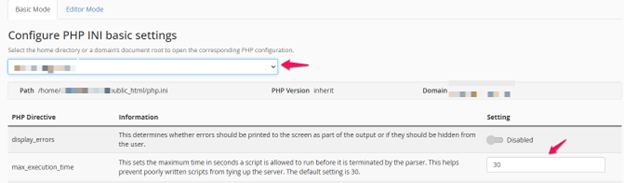
Step 4: Now, the maximum execution limit has been increased for the account.