Last reviewed: 27th September 2026
Quick Answer
You can modify an A Record in cPanel through the Zone Editor. An A Record maps a domain name or subdomain to an IPv4 address and is commonly updated when migrating a website to a new server.
Steps to Modify an A Record in cPanel
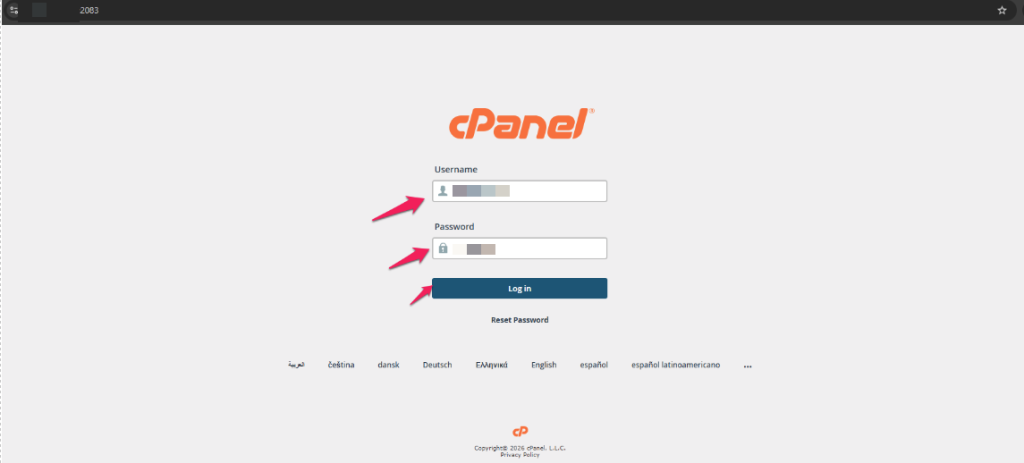
Step 1: Log in to cPanel
Enter your username and password to access your cPanel account.
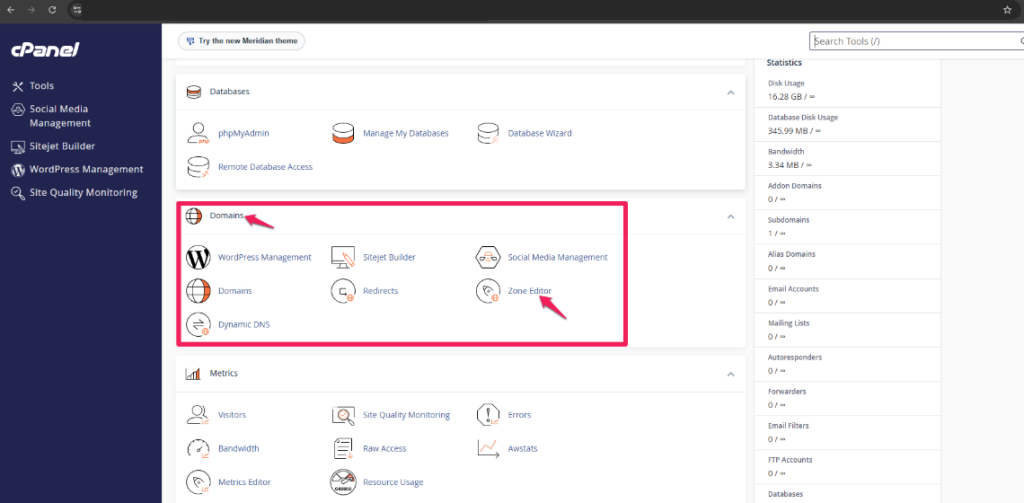
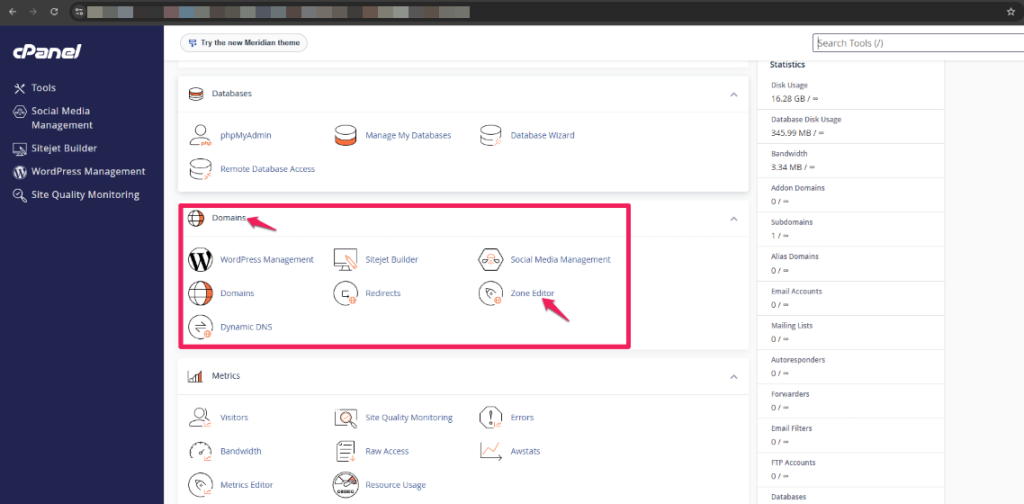
Step 2: Open the Zone Editor
Under the Domains section, click Zone Editor.
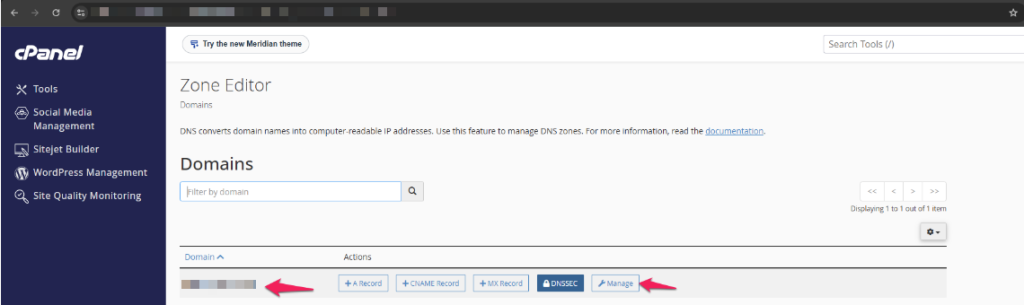
Step 3: Locate Your Domain
Find the domain for which you want to modify the A Record.
Step 4: Manage DNS Records
Click Manage next to the domain.
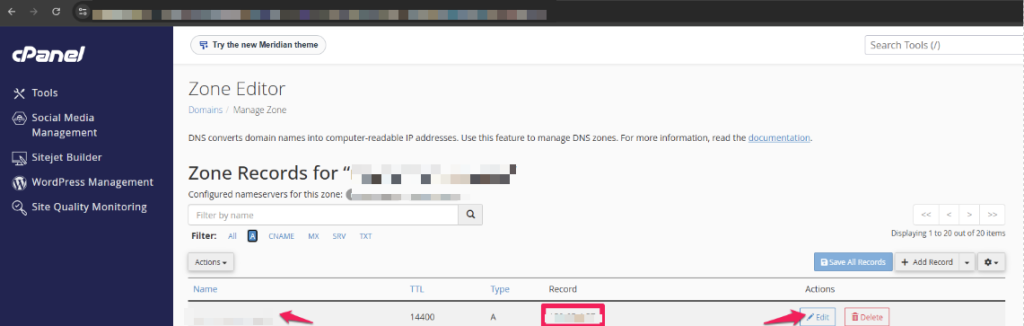
Step 5: Find the A Record
Locate the A Record you wish to modify.
Examples:
- example.com
- www.example.com
- mail.example.com
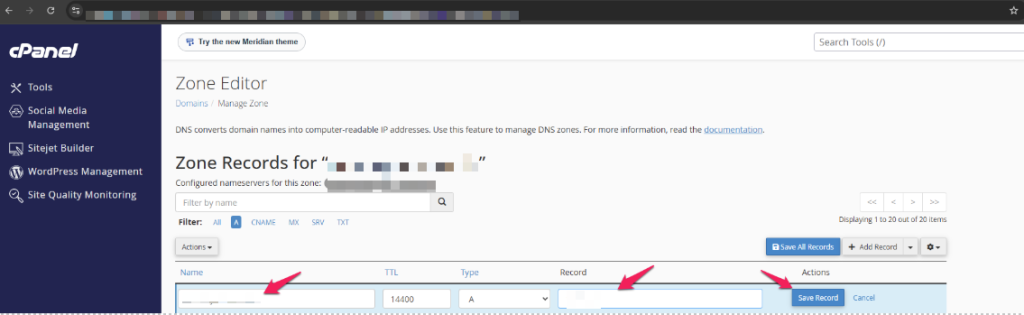
Step 6: Edit the Record
Click Edit beside the A Record.
Step 7: Update the IP Address
Replace the existing IP address in the Record field with the new server IP address.
Example:
Old IP:
123.123.123.123
New IP:
111.111.111.111
Step 8: Save the Changes
Click Save Record to apply the changes.
Step 9: Verify the Update
Allow DNS propagation and verify that the domain is resolving to the new IP address using the URL below.
How to Add a New A Record
Step 1: Open Zone Editor
Navigate to Domains → Zone Editor.
Step 2: Manage the Domain
Click Manage next to the domain.
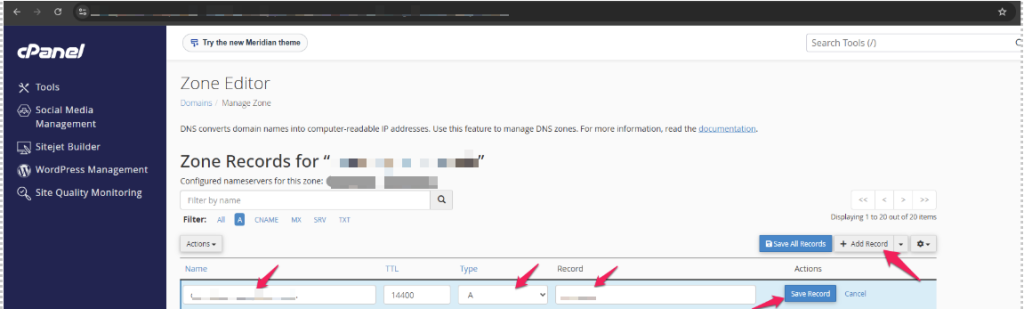
Step 3: Add a New Record
Click + Add Record.
Step 4: Select A Record
Choose A Record.
Step 5: Enter the Required Details
- Name: The host or subdomain name.
- Address: The destination IPv4 address.
- TTL: Leave the default value unless otherwise instructed.
Step 6: Save the Record
Click Save Record.
Common Problems
Website Not Loading After Changing the A Record
- Verify that the new IP address is correct.
- Ensure the web hosting account is active on the destination server.
- Allow time for DNS propagation.
Changes Are Not Reflected Immediately
- DNS propagation can take some time to update globally.
- Clear your browser cache and local DNS cache before testing.
Unable to Edit DNS Records
- Verify that the cPanel server is in charge of the domain’s DNS.
- If the domain uses third-party nameservers (such as Cloudflare or another DNS provider), the A Record must be updated there instead.
Unable to Locate the Zone Editor
- Access to DNS administration may be limited in certain hosting packages.
- Contact your hosting administrator if the feature is unavailable.
Additional Information
An A Record (Address Record) connects a domain name or subdomain to an IPv4 address.
Common uses of A Records include:
- Pointing a website to a hosting server.
- Directing a subdomain to a specific server.
- Migrating a website to a new hosting provider.
- Configuring development or staging environments.
Example:
example.com → 111.111.111.111
www.example.com → 111.111.111.111
Need help with DNS or Web Hosting?
Oryon provides website hosting, DNS management, domain registration, SSL certificates, email hosting, server management, and ongoing technical support for businesses in Singapore.