Step 1: Log into cPanel: Navigate to the cPanel login page, enter your credentials.
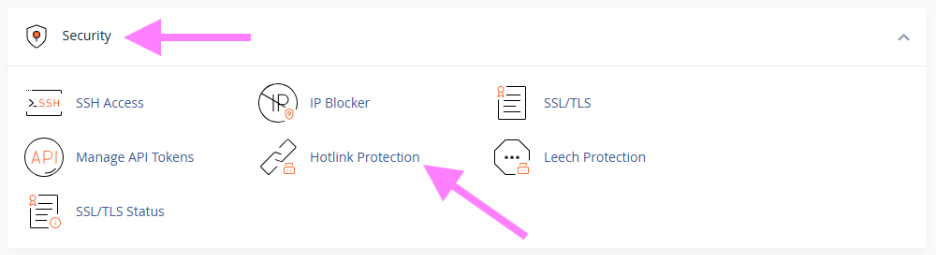
Step 2: Access Hotlink Protection
In the Security section, click on Hotlink Protection to open the settings.
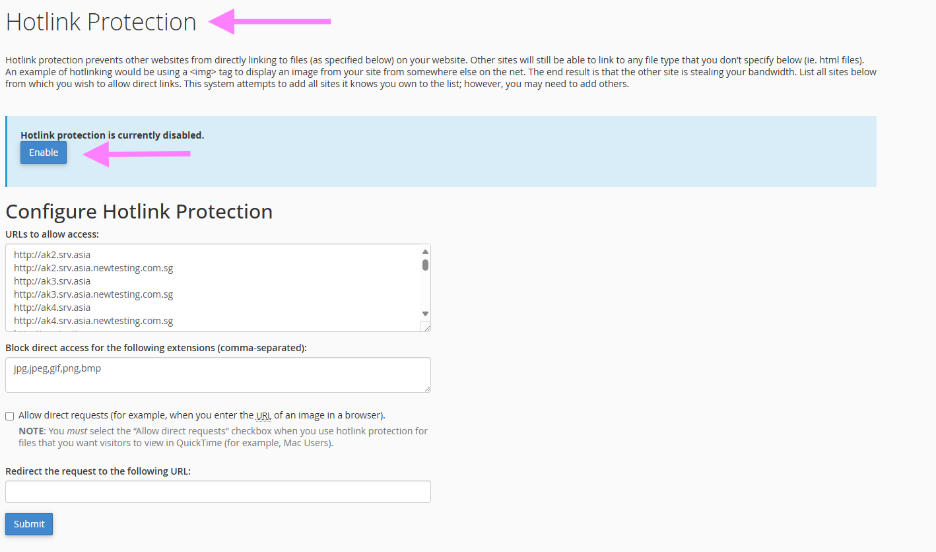
Step 3: Enable Hotlink Protection
Click Enable to activate Hotlink Protection and prevent external sites from using your resources.
Step 4: Add Allowed Domains
Ensure your own domains are listed under URLs to allow access so your website can still use the files.
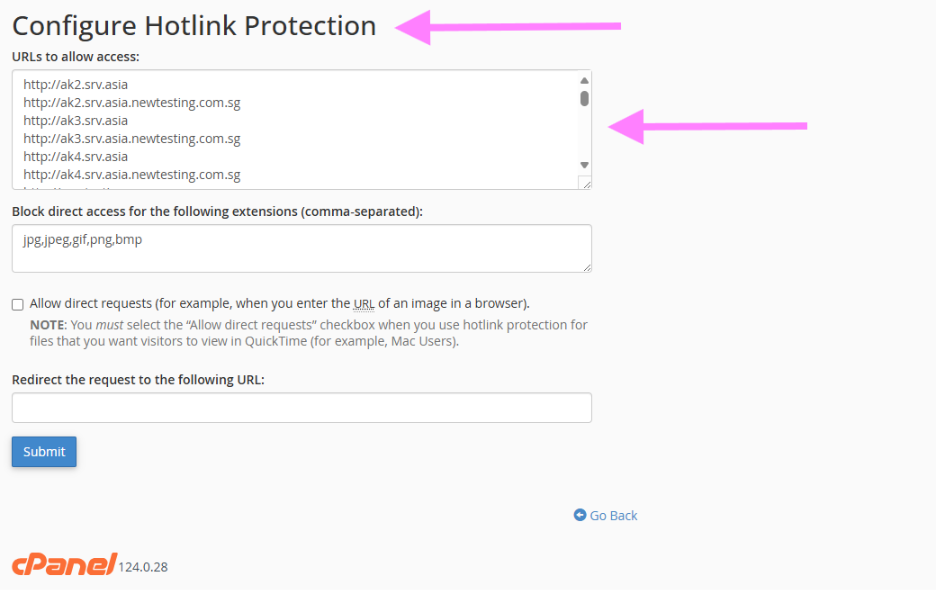
Step 5: Finally, click on Submit to apply the changes.