Step1: Login to your cPanel account.
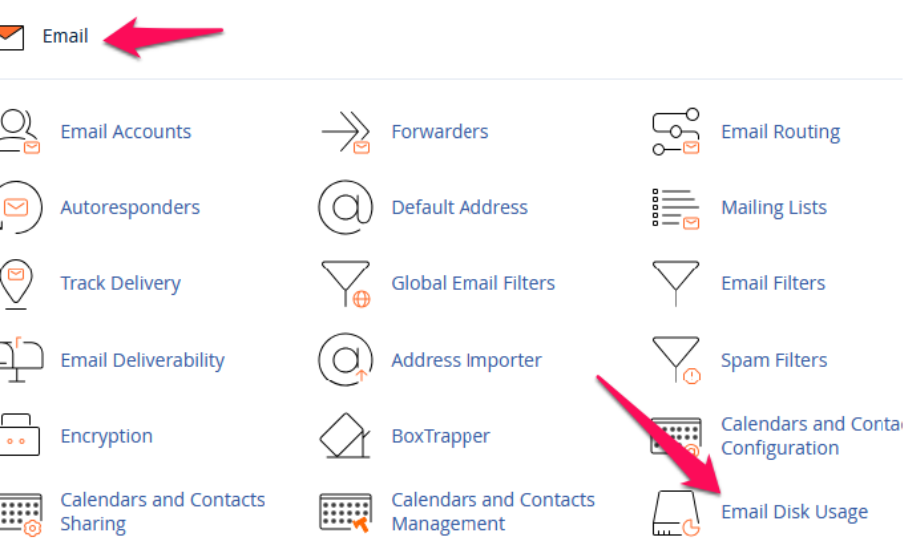
Step2: Click on Email Disk Usage under Email section.
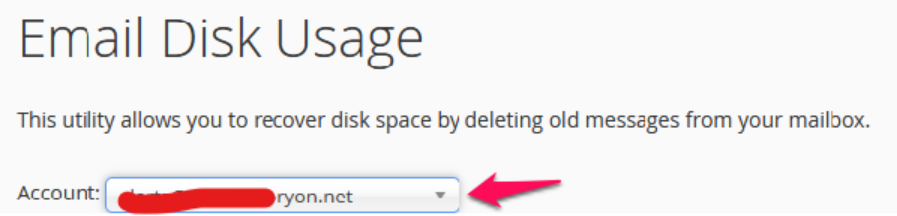
Step3: Click on Drop down list and choose the email account that you wish to delete the emails.
Step4: Here you will get list of folders that you have in your email account. Choose the folder that you wish to delete the emails by clicking Manage.

Step5: Choose the Custom Query and you can give savedbefore 1weeks here it will delete all the emails but won’t delete last 1-week emails.

Setp6: Click on Delete Permanently after giving the custom code to delete emails.
