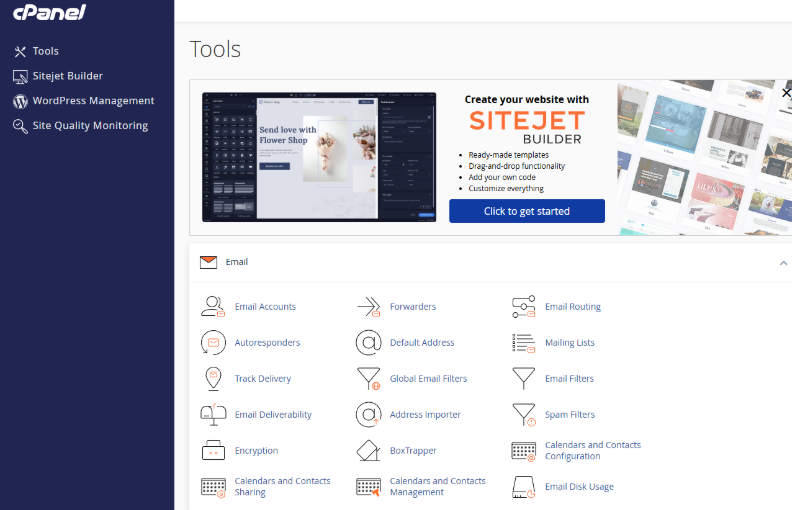
Step 1: Log in to cPanel
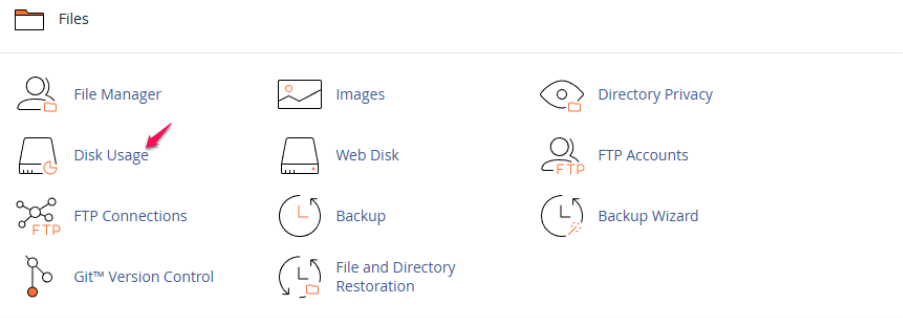
Step 2: Click on “Disk Usage” under the Files section.
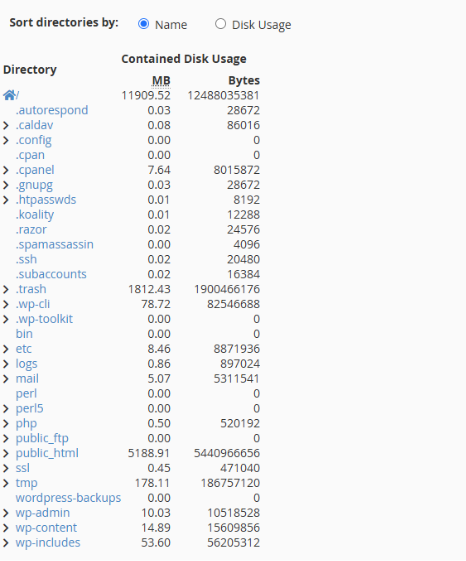
Step 3: Scroll down to see how much space the folder contents take up.
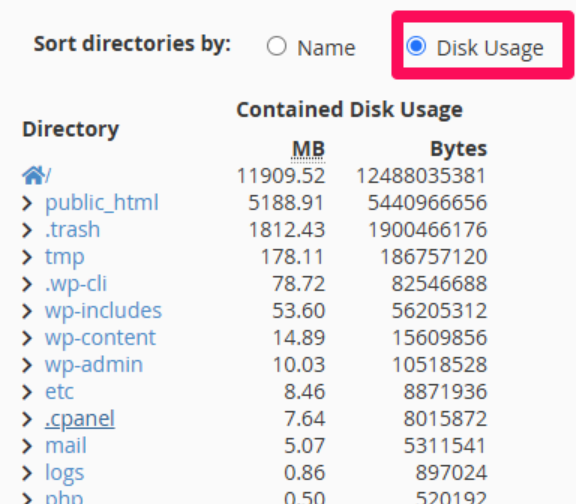
Step4: Click the available buttons to sort the directories by Name or Disk Usage.
Step 1: Log in to cPanel
Step 2: Click on “Disk Usage” under the Files section.
Step 3: Scroll down to see how much space the folder contents take up.
Step4: Click the available buttons to sort the directories by Name or Disk Usage.