Step1: Login to your cPanel account with your login credentials.
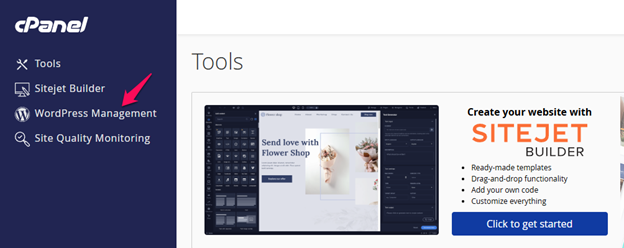
Step2: Select the WordPress Management tool in the side navigation pane or search and navigate to the WordPress Management under Domains option.
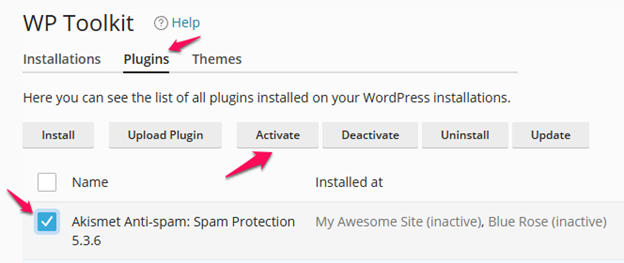
Step3: Click on the Plugins options. Select the plugins you wish to activate and click activate.