Published Date: 12 November 2026
Last Updated/Reviewed Date: 08 November 2026
Category: cPanel
cPanel version: 138.0.18
Quick Answer
Webmail access allows you to check and manage your emails directly through a web browser without installing additional email software.
If your email account is hosted on cPanel, you can easily access your mailbox using the Email Accounts section. This guide explains how to log in to cPanel, locate your email account, and open your webmail interface to send, receive, and manage emails.
Prerequisites
Before proceeding, ensure that:
- You have purchased the cPanel account
- Make sure that you have necessary access for the cPanel account
How to Access Webmail Through cPanel
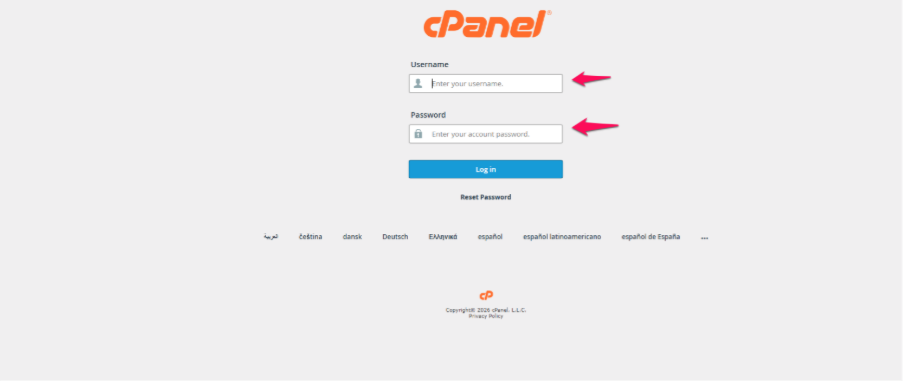
1. Log in to your cPanel account.
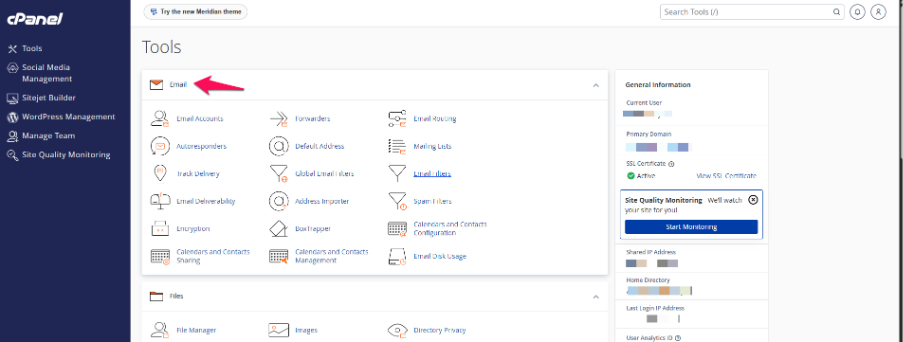
2. Navigate to the Email section.
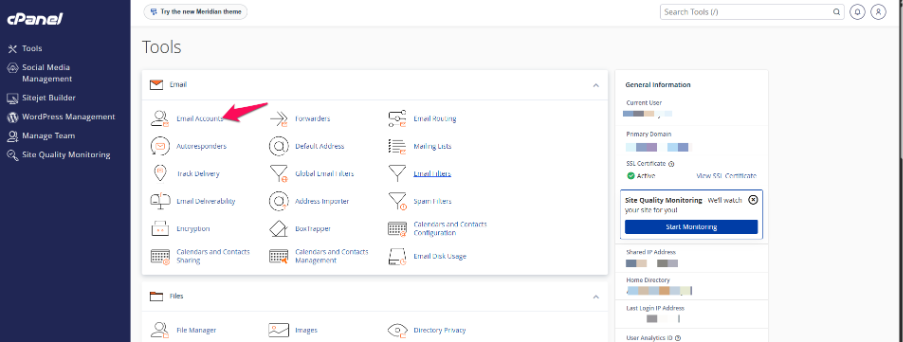
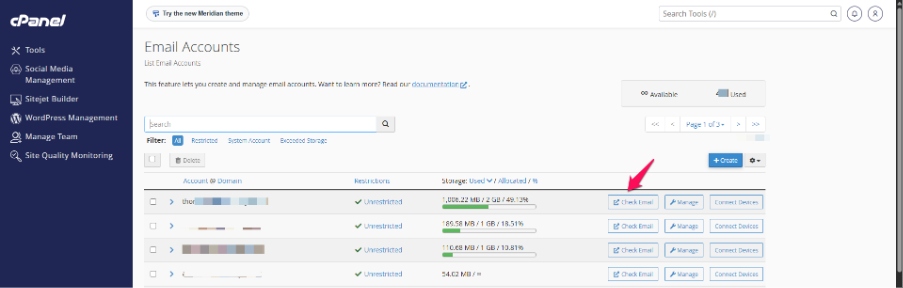
3. Click Email Accounts.
4. Locate the email account you want to access.
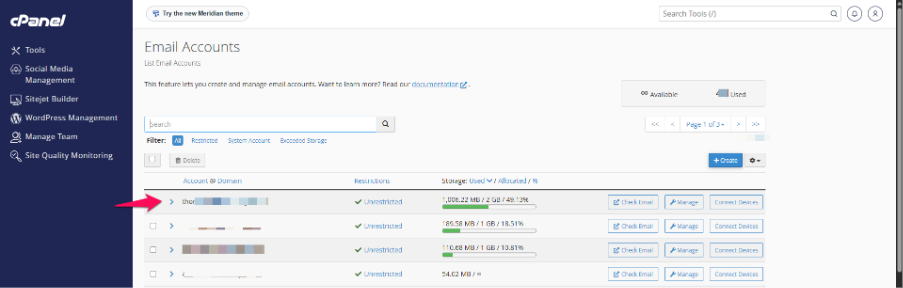
5. Click the Check Email button next to the email account.
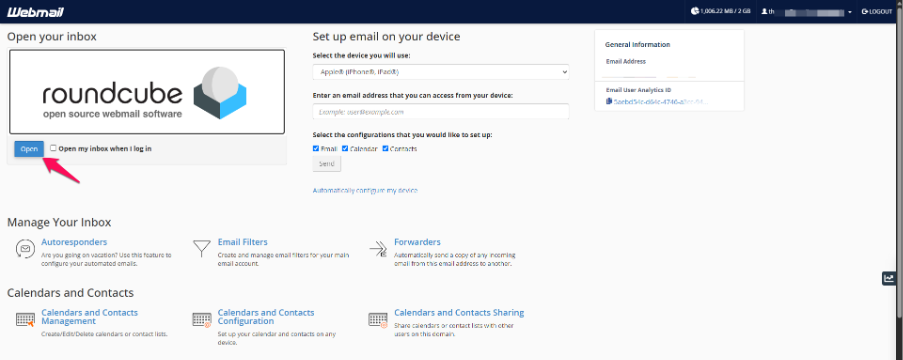
6. The Webmail interface will open, allowing you to access your mailbox.
Alternative Methods to Access Webmail
You can also access Webmail directly through your browser using any of the following URLs:
- https://your-domain.com:2096
- https://server-hostname:2096
Replace the example domain or hostname with your actual domain or server hostname.
Frequently Asked Questions (FAQ)
1. Can I access Webmail without logging in to cPanel?
Yes. You can access Webmail directly using your domain or server hostname with port 2096.
2. Do I need to install any software to use Webmail?
No. Webmail works through a web browser, so you do not need to install an email application.
3. Can I access Webmail from another computer?
Yes. You can access your mailbox from any device with an internet connection and a web browser using your email account credentials.
Summary
Webmail allows you to manage your email accounts directly through a web browser. You can access it through the Check Email option in cPanel or by using the direct Webmail URL with port 2096.
References
Need Assistance?
Having trouble is accessing your email account?
The ORYON Support Team can assist you and provide help in access the email account.
For further assistance, please contact our support team.