Last Reviewed: 03 November 2026
Published Date: 03 November 2026
Last Updated: 03 November 2026
Category: cPanel
Tested Version: 138.0.19
Quick Answer
You can find your server information, including your server hostname, directly from your cPanel account.
Navigate to General Information → Server Information to view your server details. The Server Name field displays your server hostname.
Prerequisites
- Access to your cPanel account.
- Valid cPanel login credentials.
Steps
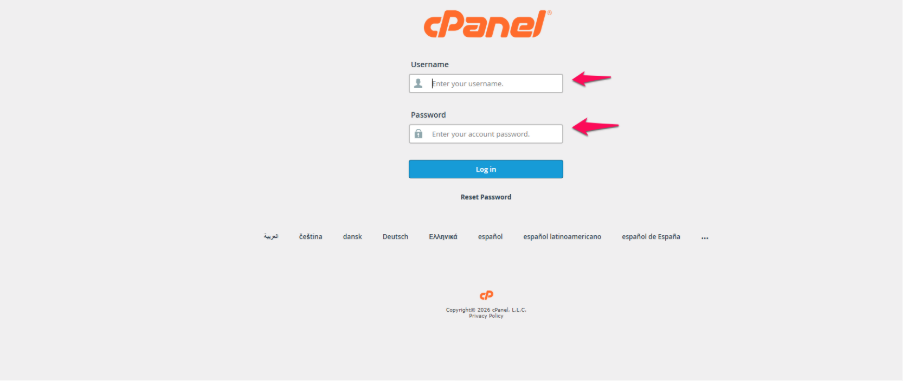
1. Log in to your cPanel account.
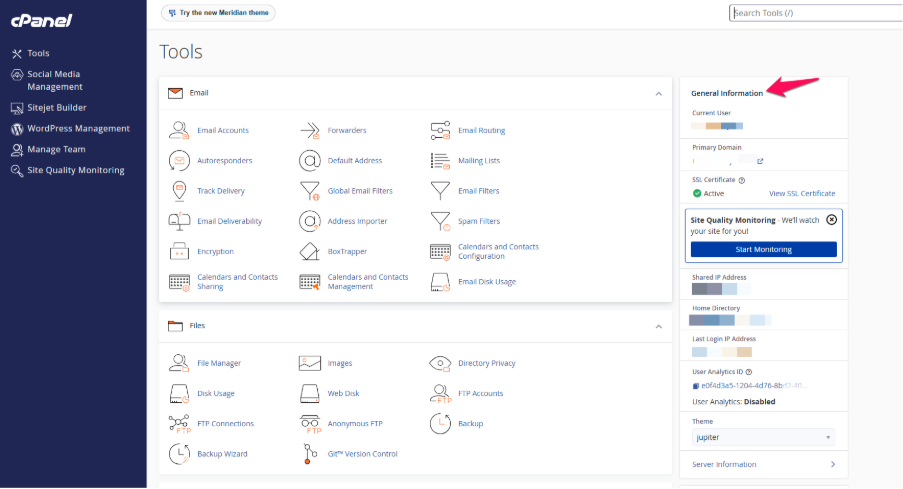
2. On the left-hand side of the cPanel dashboard, locate the General Information section. This section displays basic information about your hosting account.
3. Scroll down and click Expand Stats to view the additional account information.
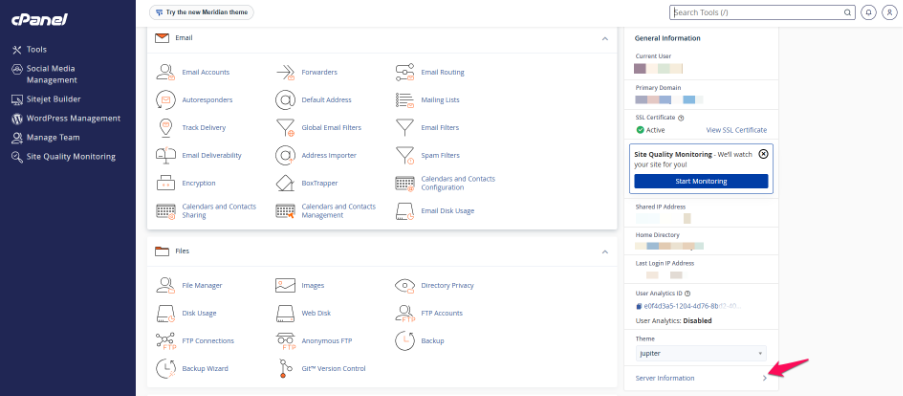
4. Once the information is expanded, locate and click the Server Information link.
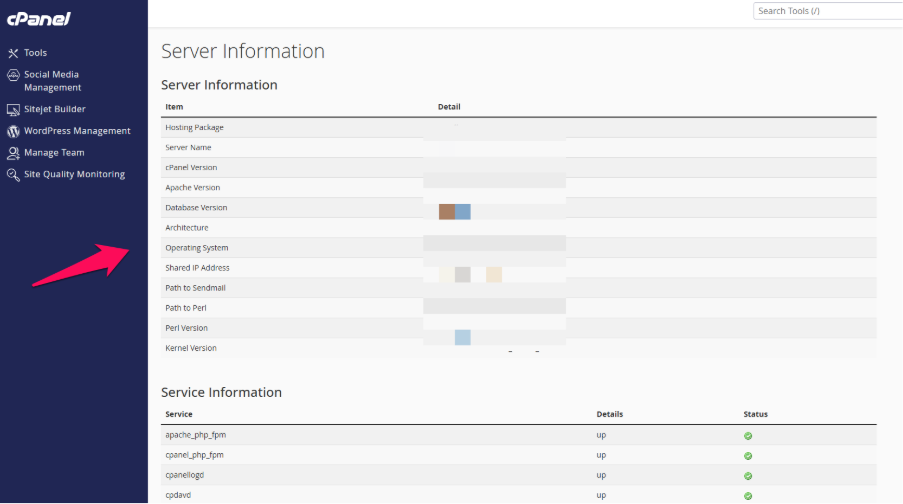
5. On the Server Information page, look for the Server Name field. The displayed value is your server hostname.
6. You can use this hostname when configuring email clients, checking server details, or when contacting our support team for technical assistance.
Frequently Asked Questions (FAQs)
1. What is a server hostname?
A server hostname is the unique name assigned to the server hosting your website and email services. It helps identify which server your hosting account is using.
2. Do my domain name and the server hostname match?
No. Your domain name is your website’s address, whereas the server hostname identifies the server where your hosting account is located.
3. Why do I need my server hostname?
You may need your server hostname when configuring email clients, troubleshooting email connectivity, or providing server details to our technical support team.
Summary & References
You can find your server hostname by logging in to cPanel and navigating to General Information → Expand Stats → Server Information.
If you need assistance identifying your server details, please contact Oryon Technical Support.
Official Documentation: cPanel – Server Information for cPanel
Need Help with Microsoft 365?
Oryon provides Microsoft 365 licensing, email hosting, migration, mailbox administration, security configuration, and ongoing technical support for businesses in Singapore.