Published Date: 08 November 2026
Last Updated/Reviewed Date: 08 November 2026
Category: Billing and Payments
Quick Answer
Oryon offers multiple payment methods to make it convenient for customers to pay their web hosting, domain renewal, and other service invoices. Our accepted payment options include credit cards through PayPal, PayNow for Singapore customers, internet banking, and cheque payments.
This guide explains the available payment methods and how to complete your payment successfully.
- Visa and MasterCard through PayPal Checkout.
- PayNow.
- Internet Banking.
Payment Methods Accepted by Oryon
1. Credit/Debit Card Payment
You can pay your invoices using Visa or MasterCard through the Oryon Client Area.
Steps:
- Log in to the Oryon Client Area.
- Open the invoice you want to pay.
- Select the payment option for the invoice.
- Click PayPal Checkout.
- Follow the on-screen instructions to complete the payment.
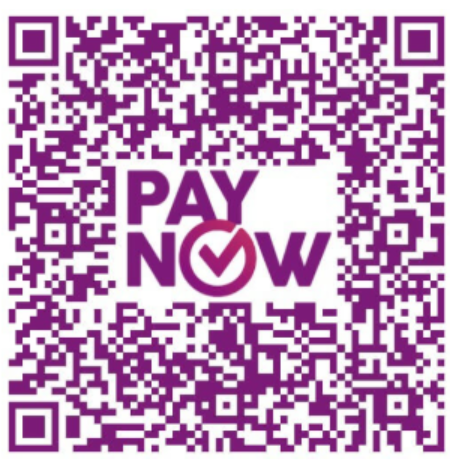
2. PayNow (Singapore)
You can make payments using PayNow by following these details:
- Select UEN (Unique Entity Number).
- Enter the UEN: 200806526H.
- Verify that the PayNow recipient name is ORYON NETWORKS PTE LTD.
Kindly use your invoice number as the payment reference. swer
Oryon Networks accepts the following payment methods:
- Visa and MasterCard through PayPal Checkout.
- PayNow.
- Internet Banking.
3. Internet Banking
You can also pay through Internet Banking using the following DBS account details:
Bank Details:
- Bank Name: DBS Bank
- Account Type: Current Account
- Account Number: 0489019425
- Account Name: Oryon Networks Pte Ltd
- Branch Code: 048 (Raffles Place)
- Bank Code: 7171
Important Notes:
- Internet Banking transfers are accepted. ATM transfers are not supported.
- Include your Oryon account username when making the transfer.
- After completing the payment, email the following details to sg@oryon.net:
- Account username
- Invoice number
- Transaction reference number
- External fund transfers may take 2–5 working days to process.
Frequently Asked Questions (FAQ)
1. Can I pay my invoice using a credit or debit card?
Yes. Visa and MasterCard payments are supported through PayPal Checkout in the Oryon Client Area.
2. What UEN should I use for PayNow payments?
Use 200806526H and verify that the recipient name is ORYON NETWORKS PTE LTD.
3. Can I make payments through an ATM?
No. Bank transfers are accepted through Internet Banking only.
4. How long do external bank transfers take to process?
External fund transfers may take 2–5 working days.
Summary
Oryon Networks supports Visa and MasterCard payments through PayPal Checkout, PayNow, and Internet Banking. Make sure to include the correct invoice number or payment reference when completing your transaction.
References
Oryon provides Microsoft 365 licensing, email hosting, migration, mailbox administration, security configuration, and ongoing technical support for businesses in Singapore.