Step 1: Log in to the Admin Panel.
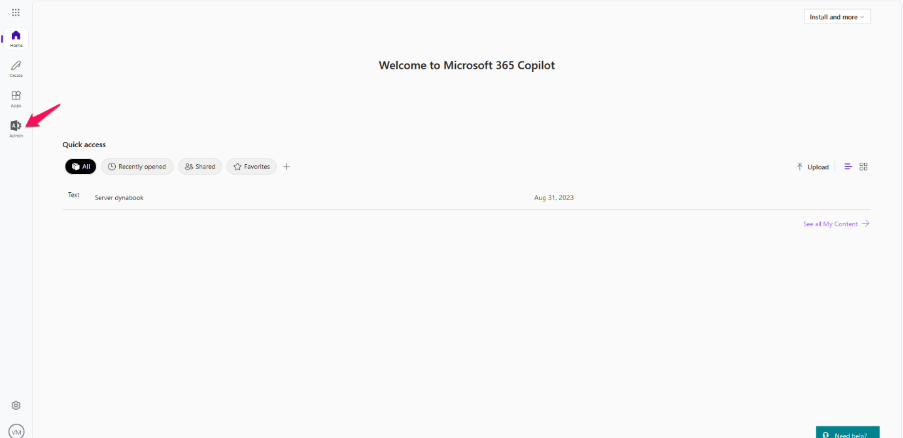
Step 2: Click Admin.
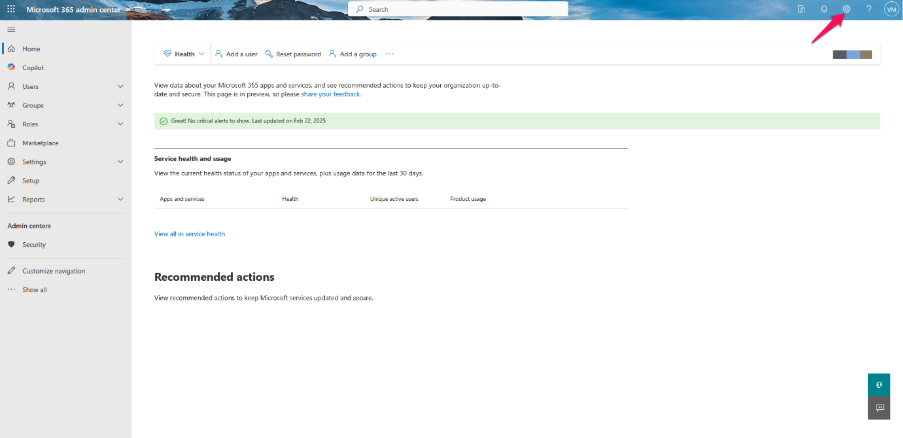
Step 3: Navigate to Settings.
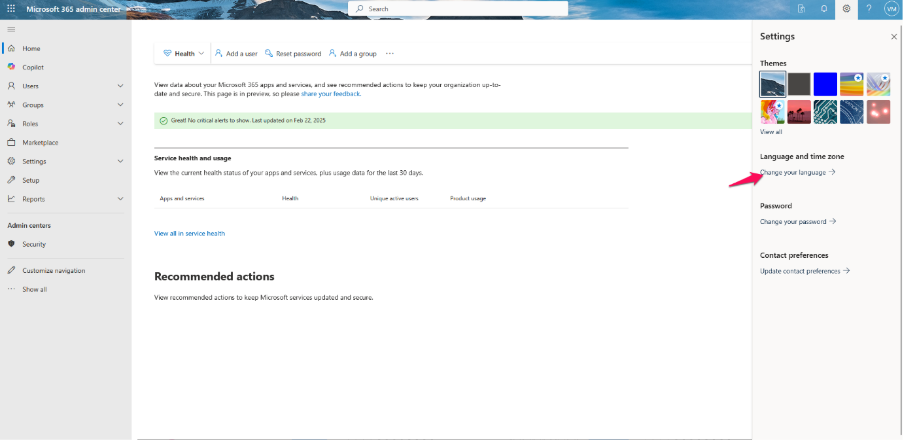
Step 4: Click Change Your Language.
Step 5: Click Time Zone under Region.
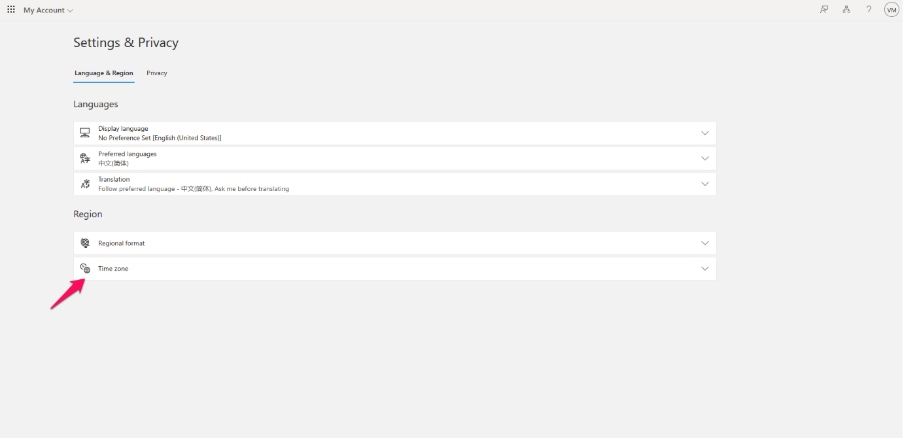
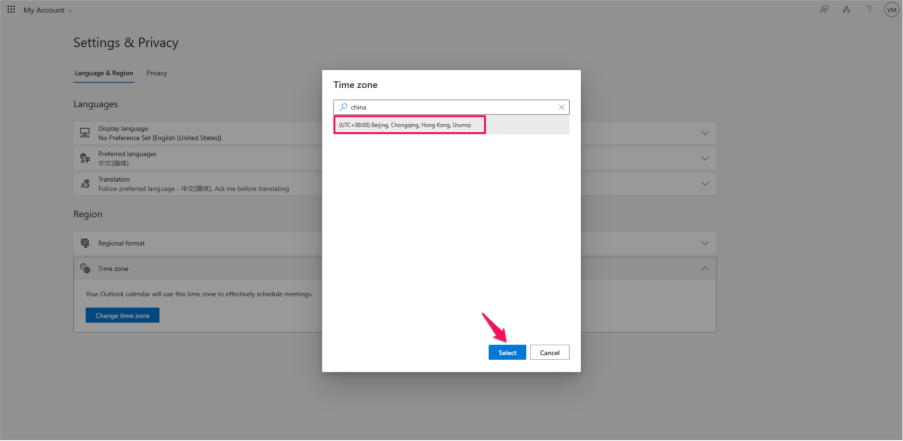
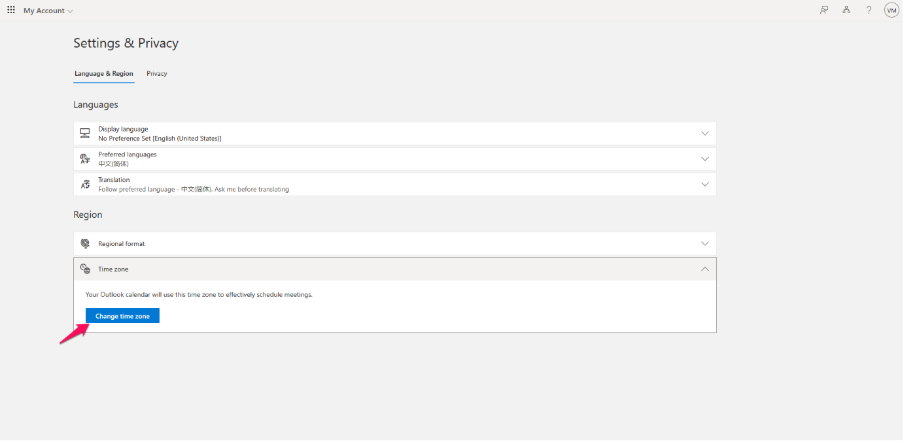
Step 6: Click Change Time Zone.
Step 7: Search for the desired Time Zone.
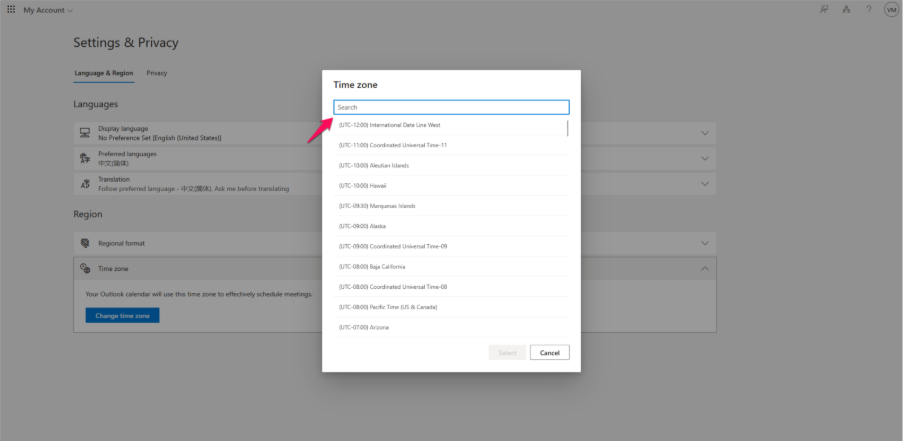
Step 8: Click the Time Zone and click Select.