

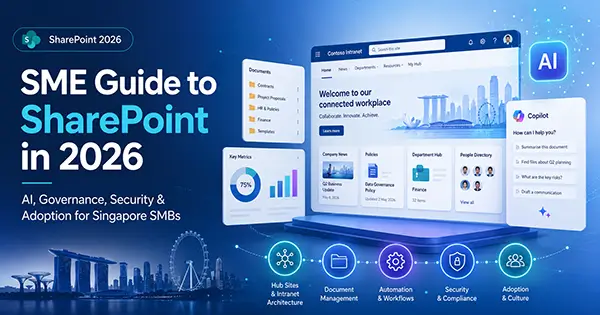
2026 is the most transformative year for SharePoint since its launch 25 years ago. Microsoft has repositioned SharePoint from a static document repository into an AI-first, agentic knowledge platform deeply integrated across the entire Microsoft 365 ecosystem.
For Singapore SMBs — typically operating with lean IT teams, hybrid workforces, and growing PDPA/compliance obligations — SharePoint Online is the clear strategic choice. It delivers enterprise-grade capabilities at SMB-friendly pricing, with no on-premises infrastructure required.
This guide covers everything you need to extract maximum value from SharePoint in 2026.
Strategic Context: Why 2026 Is the Year to Act
Critical Deadlines You Cannot Ignore
| Milestone | Date | Impact |
|---|---|---|
| SharePoint Add-Ins & 2013 Workflows retired | 2 April 2026 | Custom apps using the Add-In model or Azure ACS authentication stopped functioning |
| SharePoint Server 2016 & 2019 End of Support | 14 July 2026 | No more security patches or technical fixes |
| Legacy SharePoint Alerts fully retired | July 2026 | All existing alerts cease to function; must migrate to Power Automate |
| Office Online Server (OOS) retirement | 31 December 2026 | On-premises browser viewing/editing of Office files removed |
| File-Level Archiving available | July 2026 | Move individual files to cold storage — up to 75% cost reduction |
Licensing & Pricing for Singapore SMBs
Recommended Plans
| Plan | Best For |
|---|---|
| SharePoint Plan 1 | Standalone document management & intranet |
| SharePoint Plan 2 | Advanced search, compliance, and Purview features |
| Microsoft 365 Business Standard | Full productivity suite (Teams, Outlook, SharePoint bundled) |
| Microsoft 365 Business Premium | Everything above + advanced security (Defender, Intune, Purview) |
Approximate SGD conversion; actual CSP pricing may vary.
Storage Allocation: 1 TB base + 10 GB per licensed user; up to 25 TB per individual site.
Architecture: Building Your SharePoint Foundation Right
The Hub-Site Model (Mandatory in 2026)
The old “subsite” model is officially obsolete. In 2026, all organisations should adopt a flat, Hub-based architecture:
🏢 Company Intranet Hub (Communication Site — Home Site)
├── 📁 HR Hub
│   ├── Policies Site
│   ├── Onboarding Site
│   └── Leave & Benefits Site
├── 📁 Operations Hub
│   ├── SOPs & Procedures Site
│   ├── Project Tracker Site
│   └── Vendor Management Site
├── 📁 Sales & Marketing Hub
│   ├── Campaign Assets Site
│   ├── Client Proposals Site
│   └── Brand Centre Site
└── 📁 Finance Hub
    ├── Invoices & Contracts Site
    ├── Budgets Site
    └── Audit & Compliance Site
Key Architecture Principles
- Central Home Site = Communication Site — Do NOT use a Team Site for your intranet homepage. Communication sites don’t auto-create Microsoft 365 Groups, mailboxes, or Planner instances.
- Hub registration — Register your central Communication Site as a Hub, then associate departmental sites to it for shared navigation, theming, news roll-up, and scoped search.
- Tenant limits: Up to 2,000 hubs; hub-of-hubs allowed at 2 levels.
- Team Sites for collaboration — Use group-connected Team Sites for departments and project teams that need shared mailboxes, Planner boards, and two-way collaboration.
- Flat over deep — Never nest subsites. Create independent sites and attach them to hubs. This makes reorganisation effortless.
The New SharePoint Experience (Enable It Now)
Since March 2026, a completely redesigned SharePoint experience is available in preview, with GA rollout from April 2026:
What’s Changed
| Feature | Description |
|---|---|
| Discover | Replaces the classic Start Page — a content-forward layout surfacing relevant sites, files, and news |
| Publish | New hub for pages, news, and campaigns (Amplify-powered) |
| Build | Centralised space for creating/managing Sites, Lists, Libraries, and Agents |
| Neutral Theming | Reduced visual noise; consistent with the new Microsoft 365 design language |
| Toggle back | Users can revert to the old experience during the preview phase |
How to Enable
- Go to SharePoint Admin Centre → Settings
- Toggle on “New SharePoint experience”
- Verify SPFx and custom web part compatibility before broad rollout
⚠️ Important: AI-specific features in the new experience require a Microsoft 365 Copilot licence. Factor this into your adoption planning if you have a mixed-licence tenant.
AI & Copilot: The Game-Changer for SMBs
This is where SharePoint 2026 truly shines. The platform has evolved into an AI-first knowledge ecosystem:
SharePoint Agents
Every SharePoint site now ships with a pre-configured AI agent that can reason across all documents within the site:
- Ask natural language questions — e.g., “What is our company’s leave policy for part-timers?” and get an instant, cited answer.
- Custom Agents via Copilot Studio — Build bespoke agents that connect to specific SharePoint lists and libraries for complex workflows (e.g., contract approvals, project tracking).
- SharePoint Lists as knowledge source — As of May 2026, Copilot Studio agents can use SharePoint Lists as a knowledge source, opening up possibilities for teams tracking projects, data, or structured information.
AI-Powered Content Creation
- Copilot in SharePoint Pages — Use a chat interface to create and edit intranet content. Describe what you want, and Copilot builds it.
- AI-Powered FAQ Web Part — Copilot automatically curates and updates FAQs by analysing your document libraries.
- Automatic Metadata Tagging — AI tags documents with relevant metadata upon upload, eliminating manual data entry.
Authoritative Sites
Admins can now flag specific SharePoint sites as trusted/authoritative so Copilot prioritises that content in search and chat responses. This is a small configuration change with a massive payoff — Copilot stops pulling from outdated sources and consistently surfaces your most important content.
Advanced Document Processing (formerly Syntex)
| Feature | Business Impact |
|---|---|
| Content Assembly | Auto-generates contracts/SOWs by pulling data from SharePoint Lists into templates |
| OCR & Handwriting Recognition | Digitises and makes old paper records searchable |
| Autofill Columns | LLMs scan documents and auto-fill columns like “Total Amount” or “Expiry Date” |
| AI Classification | SharePoint Premium classifies documents at US$0.01–0.05/page |
Singapore SME Use Case: A law firm or accounting practice can use Content Assembly to auto-generate engagement letters from a SharePoint List of clients. Pair this with autofill columns to extract key dates and amounts from uploaded invoices — saving hours of manual work weekly.
Document Management Best Practices
SharePoint Online supports up to 30 million items per library, with a file size limit of 250 GB per file.
Five-Step Setup
- Plan your Information Architecture — Align sites and libraries to business functions (not departments’ internal hierarchies).
- Configure Metadata Columns & Content Types — Classify documents consistently (e.g., Document Type, Client, Status, Region).
- Enable Versioning & Check-Out Policies — Protect against accidental overwrites; set version history limits per site type.
- Apply Retention Labels — Use Microsoft Purview to manage document lifecycle (retain, delete, or declare as regulatory record).
- Configure Permissions with Entra ID Security Groups — Apply sensitivity labels for PDPA-sensitive data.
Storage Governance (Critical for SMBs)
Build these into your design from Day 1:
- Version history limits per site type (news sites behave differently from project sites)
- Explicit ownership policies so inactive sites have a defined path to archiving or deletion
- Clear thresholds for what triggers a lifecycle review
- File-Level Archiving (July 2026) — Move rarely-used files to cold storage, reducing costs by up to 75% while keeping them searchable
Security, Compliance & Governance
For Singapore SMBs (PDPA & Beyond)
| Capability | What It Does | Why It Matters for SG SMBs |
|---|---|---|
| Sensitivity Labels | Classify and protect documents (Confidential, Internal, Public) | PDPA requires appropriate data protection controls |
| DLP Policies (Purview) | Prevent accidental sharing of NRIC numbers, financial data | Auto-detect and block sensitive SG data patterns |
| Adaptive Scopes for DLP | Auto-target policies to sites based on metadata/URL patterns | No more 100-site limit; scales with your growth |
| Just-In-Time (JIT) Protection | Applies restrictions at the moment of sharing/downloading (Nov 2026) | Real-time protection for unclassified files |
| Third-Generation Sharing (“Hero Links”) | One link controls everything — no more confusing multiple URLs | Simpler, safer external sharing |
| SharePoint Admin Agent | AI monitors permissions sprawl, identifies overshared content, suggests archiving | Proactive governance without dedicated IT staff |
Quick Wins for Governance
- Enable the SharePoint Admin Agent — It proactively identifies security risks and governance gaps.
- Set Authoritative Sites — Ensure Copilot and search prioritise your official policy documents.
- Exclude “Everyone” claim from People Picker — New in 2026, this prevents accidentally granting broad access.
- Audit logging — Enable and regularly review for PDPA compliance evidence.
Automation: Replace Legacy Alerts with Power Automate
With SharePoint Alerts fully retiring in July 2026, you must migrate to Power Automate:
Common Alert Replacements
| Old Alert | Power Automate Equivalent |
|---|---|
| “When an item is created” | When an item is created trigger → Email/Teams notification |
| “When an item is modified” | When an item or file is modified trigger → Adaptive Card in Teams |
| “Someone else changes my item” | When an item is modified + condition filter on Modified By |
For simpler use cases, SharePoint Rules (built-in, no-code) may be sufficient.
High-Value Automation Ideas for SMBs
- Document approval workflows — Auto-route contracts for manager sign-off via Teams
- New employee onboarding — Trigger a checklist when a new row is added to an HR list
- Invoice processing — Auto-extract data from uploaded PDFs using AI Builder + Power Automate
- Expiry date reminders — Notify team when contracts/certifications approach expiry
SharePoint Brand Centre
Generally available since early 2026, the Brand Centre is a centralised hub for managing your organisation’s visual identity:
- Manage fonts, logos, colour palettes, and themes globally
- Every site stays on-brand regardless of who creates it
- 50+ out-of-the-box page templates for status updates, event announcements, and team introductions
- Real-time co-authoring on SharePoint pages — Multiple editors see each other’s cursors
Tip: For Singapore SMBs, set up Brand Centre in your first week. It prevents the “Wild West” of inconsistent branding across department sites and gives your intranet a professional, unified look from Day 1.
90-Day Adoption Roadmap for Singapore SMBs
Phase 1: Foundation (Weeks 1–4)
- ✅ Choose your licensing plan (Business Standard or Premium)
- ✅ Set up your tenant and configure Entra ID security groups
- ✅ Create your Home Site (Communication Site) and register as Hub
- ✅ Configure Brand Centre with company logo, colours, fonts
- ✅ Enable the New SharePoint Experience
- ✅ Set up 2–3 departmental sites and attach to Hub
Phase 2: Content & Governance (Weeks 5–8)
- ✅ Define metadata taxonomy and content types
- ✅ Migrate existing documents (Google Drive / shared drives / local folders)
- ✅ Configure sensitivity labels and DLP policies for PDPA
- ✅ Set up retention labels via Microsoft Purview
- ✅ Replace legacy alerts with Power Automate flows
- ✅ Enable SharePoint Admin Agent for proactive governance
Phase 3: AI & Optimisation (Weeks 9–12)
- ✅ Activate SharePoint Agents on key knowledge-base sites
- ✅ Set Authoritative Sites for Copilot prioritisation
- ✅ Build 1–2 custom agents via Copilot Studio (e.g., HR policy bot, project tracker)
- ✅ Configure AI-powered FAQ web part on intranet
- ✅ Train staff on the new SharePoint experience and Copilot features
- ✅ Review storage governance, version limits, and archiving policies
Phase 4: Continuous Improvement (Ongoing)
- ✅ Monitor adoption metrics via Copilot Academy Reports (rolling out through June 2026) [sharepoint…ibrary.com]
- ✅ Quarterly governance reviews (permissions audit, inactive site cleanup)
- ✅ Iterate on agents and automations based on user feedback
- ✅ Stay current with monthly SharePoint updates
Key Takeaways for Singapore SMBs
- SharePoint Online is the clear choice — Lower TCO, always updated, AI-ready, no servers to manage.
- Act on the 2026 deadlines now — Legacy alerts, add-ins, and on-premises servers are being retired.
- Invest in architecture early — Hub sites, flat structure, proper metadata. Retrofitting governance later is 10× more expensive.
- Embrace AI agents — They turn SharePoint from a “file dump” into an intelligent knowledge assistant.
- Security = PDPA compliance — Sensitivity labels, DLP policies, and audit logging are not optional for Singapore businesses.
- Automate everything you can — Power Automate replaces alerts and eliminates manual busywork.

