

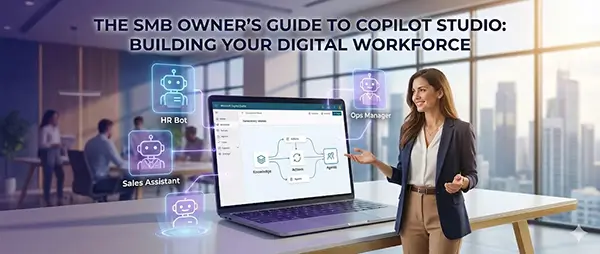
You have just purchased Microsoft Copilot Studio.
If this were 2023, you would have bought a tool to build a chatbot. You would spend the next three weeks writing scripts, predicting what users might say (“Hi,” “Hello,” “Hey there”), and manually typing out answers.
But this is 2026. You didn’t buy a chatbot builder. You bought a Digital Workforce Factory.
For Small and Medium Business (SMB) owners, the landscape has shifted violently. The competitive advantage is no longer about who has the best product, but who has the most efficient operations. Copilot Studio is the lever that allows a 15-person company to output the work of a 50-person company.
This guide is not a quick-start manual. It is a strategic operating system for deploying Agentic AI—autonomous digital employees that reason, act, and work alongside your human team.
Part I: The Paradigm Shift (Read This Before Clicking Anything)
To get ROI from this tool, you must unlearn the “Command and Control” habits of early software.
1. From “Scripted” to “Grounded”
Old chatbots were like bad customer service reps reading from a binder. If you asked a question that wasn’t in the binder, they failed. In Copilot Studio today, we use Grounding. You do not teach the bot what to say. You give the bot a “brain”—your SharePoint sites, your PDFs, your website, your SQL databases. When asked a question, the agent uses RAG (Retrieval-Augmented Generation) to read your data in real-time, synthesize an answer, and cite its source.
2. From “Chat” to “Action”
This is the biggest shift of 2026.
- 2024 Bot: “Here is the link to the invoice portal.”
- 2026 Agent: “I found the invoice. I’ve compared it to the PO. It matches. Shall I schedule the payment for Friday?”
This is the difference between a search engine and an employee. Your goal with Copilot Studio is not to build bots that chat; it is to build agents that do.
3. The “Generative Orchestrator”
In the past, you had to build rigid flowcharts (“If user says Yes, go here. If No, go there.”). Now, Copilot Studio uses a Generative Orchestrator. You give the agent a “Job Description” (e.g., You are a Support Agent authorized to check order status and process refunds under $50). You also give it “Tools” (Plugins). The AI decides on its own which tool to use based on the conversation. It reasons like a human.
Part II: The Setup – Building the Foundation
Before you unleash agents, you must prepare the environment.
1. The Data Hygiene Pre-Requisite
Your agent is only as smart as the documents it reads. If your SharePoint is full of policy documents from 2019 that contradict the ones from 2025, your agent will hallucinate or give conflicting advice.
- Action Step: Create a dedicated SharePoint site or Document Library called “AI_Knowledge_Base.”
- The Rule: Only “Gold Standard,” approved PDFs and clean data go in here. This is the only source your agents should be allowed to touch initially.
2. Security & The “Entra Agent ID”
In 2026, agents are treated as identities.
- The Fear: “Will the bot tell the intern how much the CEO makes?”
- The Reality: Copilot Studio respects “permissions inheritance.” If the intern cannot open the Excel file on SharePoint, the Agent cannot read it to them.
- The New Standard: Assign an Entra Agent ID to your bots. This creates an audit trail. When a record is deleted in your CRM, the log will show
Deleted by: Customer_Service_Bot_01. This accountability is essential for SMB governance.
Part III: The Internal Revolution (Employee Experience)
The first place to deploy Copilot Studio is internally. This is low-risk (no angry customers) and high-reward (immediate efficiency).
Use Case A: The “Tribal Knowledge” Keeper
Every SMB has a “Gary.” Gary has been there for 10 years. Gary knows how to fix the printer, how to approve a vendor, and where the holiday calendar is saved. When Gary goes on vacation, the business stalls.
The Solution: The Ops Central Agent
- The Build: You create an agent in Studio. You point it to the “AI_Knowledge_Base” (containing the Employee Handbook, IT Guides, and SOPs).
- The Deployment: You do not ask staff to visit a website. You publish this agent as a Microsoft 365 Copilot Extension.
- The Workflow: An employee is in Microsoft Teams. They type: “@OpsCentral, how do I request a new laptop for a hire starting Monday?”
- The Result: The agent reads the IT Procurement PDF, summarizes the steps, and provides the direct link to the form. Gary is not disturbed.
Use Case B: The “Data Fetcher”
Your sales team likely wastes hours switching between Outlook, your CRM (Salesforce/Dynamics), and your inventory system.
The Solution: The Sales Assistant Plugin
- The Build: You use Copilot Studio to build a Plugin. You connect this plugin to your CRM via pre-built connectors.
- The Workflow: A salesperson is writing an email in Outlook. They open the Copilot side pane. They ask: “Summarize the last 3 interactions with Client X and check if we have their preferred product in stock.”
- The Magic: The agent queries the CRM for notes and the ERP for inventory simultaneously, presenting a unified summary inside Outlook.
Part IV: The External Revolution (Customer Experience)
Once your internal house is in order, you face the customer. In 2026, customers demand instant gratification. They will not wait 24 hours for an email reply.
The “Tier 1” Deflection Agent
Most SMBs pay humans to answer the same 5 questions: Hours? Pricing? Shipping status? Returns? Appointment availability?
The Strategy: Don’t just put a “Chat” widget on your site. Put a Actionable Concierge.
The Build Walkthrough:
- Grounding: Point the agent to your public website URL. It now knows everything on your site.
- Authentication: This is key. Allow customers to “Log In” via the chat window (using Microsoft Entra External ID or similar).
- The “Order Status” Plugin:
- Create a Topic: “Check Order Status.”
- Add an Action: Use Power Automate to ping your ERP (e.g., Business Central or even a SQL database).
- Input: User’s Email + Order ID.
- Output: Tracking URL + Estimated Delivery Date.
- The Result: The customer gets the tracking link in 3 seconds. Your support team never opens a ticket.
Part V: The “Holy Grail” – Autonomous Triggers
This is the differentiator for the 2026 SMB. Until now, all examples have required a human to ask a question. Autonomous Agents work without being asked. They monitor your business for you.
Case Study: The “Invoice Watchdog”
- The Problem: You are drowning in vendor invoices. You blindly approve small ones and micromanage large ones.
- The Copilot Studio Solution:
- Trigger: You set up a Trigger Event: “When a new email arrives in
ap@company.comwith an attachment.” - Perception: The Agent uses AI Builder (integrated into Studio) to “read” the PDF invoice. It extracts the Vendor Name, Date, and Total Amount.
- Reasoning:
- Rule 1: Is the vendor on the “Trusted List”?
- Rule 2: Is the amount under $500?
- Rule 3: Does the amount match the Purchase Order in the system?
- Action:
- If ALL match: The Agent logs into your Accounting Software and posts the bill for payment.
- If ANY fail: The Agent sends a Teams message to the CFO: “I flagged an invoice from Vendor X for $600. It exceeds the PO by $50. Please review.”
- Trigger: You set up a Trigger Event: “When a new email arrives in
This is not automation; this is an artificial employee acting as a filter for your attention.
Part VI: The Economics (Credits & Costs)
Microsoft’s pricing in 2026 is based on consumption. Understanding the “Token Economy” is vital to not going broke.
1. The Currency: “Messages” vs. “Credits”
- Standard Messages: (e.g., “What is the policy?”) are cheap. They consume very few credits.
- GenAI Answers: (e.g., summarizing a 50-page PDF) consume more credits because of the compute power required.
- Autonomous Actions: (e.g., The Invoice Watchdog) are the most expensive per unit, often costing ~20-25 credits per run.
2. The SMB Strategy
- Use “M365 Copilot” for Search: Encourage employees to use the standard M365 Copilot for basic document search. This is often covered by their user license and saves your Studio credits.
- Reserve Studio Credits for “High Value” Flows: Only build autonomous agents for tasks that save at least 15 minutes of human time.
- Math: If an agent costs $0.50 in credits to run a task, but saves an employee 20 minutes (valued at $10.00), the ROI is massive. If it saves 10 seconds, you are losing money.
Part VII: Governance & The “AI Handler”
The most dangerous thing an SMB owner can do is “Set and Forget.” AI drifts. Data changes. Customers find loopholes.
You need a Human in the Loop
You do not need to hire a Data Scientist. You need to assign an existing operational leader the role of AI Handler.
The AI Handler Job Description (4 Hours/Week):
- Friday Transcript Review: spend 30 minutes reading the chat logs of “Abandoned Sessions.” Why did the customer leave? Did the bot fail to understand a specific acronym?
- Knowledge Updates: When you launch a new product, the Handler must update the “Knowledge Base” SharePoint site immediately, or the bot will lie to customers.
- Credit Monitoring: Watch the consumption dashboard. If a specific bot is burning 50% of your credits, investigate why. (Is it stuck in a loop? Is it being spammed?)
- Access Control: Periodically review which internal sites the agents have access to.
Part VIII: The 4-Week Implementation Roadmap
Don’t try to do everything above at once. Here is your schedule.
Week 1: The “Soft Launch” (Internal)
- Clean up your HR/Ops PDF documents.
- Create the “Ops Central” agent.
- Publish to Microsoft Teams.
- Goal: Get employees comfortable asking a bot instead of a human.
Week 2: The “Public Face” (External)
- Build the website agent.
- Ground it in your public URL.
- Review its answers for “Tone” (make sure it sounds like your brand).
- Goal: Deflect 20% of inbound generic support emails.
Week 3: The “Action” Layer
- Pick ONE high-value integration (e.g., Order Status or CRM Lead Entry).
- Build the Plugin/Connector.
- Test rigorously.
Week 4: The “Autonomous” Layer
- Build your first Trigger-based agent (e.g., Invoice processing or Inventory Watchdog).
- Assign the “AI Handler” role to a staff member.
Conclusion
In 2026, the question is not “Can we afford to use AI?” It is “Can we afford to compete against companies that do?”
Copilot Studio is your toolkit for leveling the playing field. It allows you to duplicate your best employees’ knowledge and scale your operations without scaling your payroll.
Start small. Ground your data. monitor the costs. But start today. The digital workforce is waiting to be hired.

